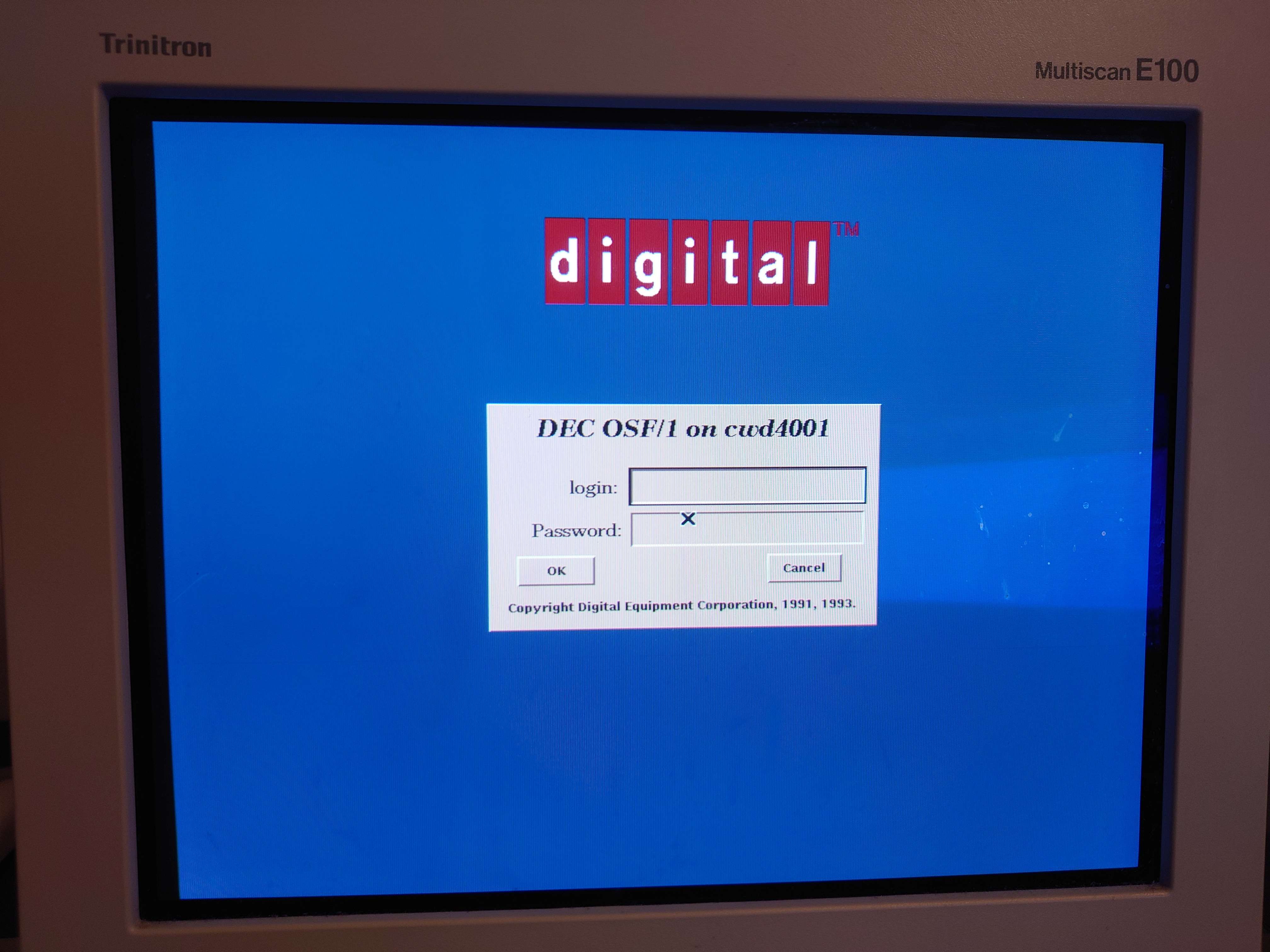
I have had interest in the Mach microkernel for some time, being an interesting historical footnote. I have been searching for an interesting way to play around with it, and especially have been interested in Mach-based Unix systems. I heard about OSF/1 some time back, an (experimental?) operating system from the Open Systems Foundation, ironically not an open source or free software organization, which was a seemingly 100% certified UnixTM, and used the Mach 2.5 kernel. A month or so back while retreading ground, I found that there was a very broken old source release that seemed to contain source for DEC OSF/1 V2.0, which is the following:
Don't be fooled, it is not OSF/1 2.0, though I would have liked that. DEC had a separate version numbering scheme. There's a string in the Motif periodic demo that says it is OSF/1 V1.2, which I would agree with, as OSF/1 1.3 moved to Mach 3, a real microkernel.
There being available source piqued my curiosity, so I passed it off to Claude. It determined there were a few missing pieces, but nothing major. Being as it's October, it seemed interesting to try to resurrect it. It's alive!
After a few weeks of work with Claude, iterating in QEMU, then 86Box, then finally real hardware, I have a mostly working kit to build a working disk image of OSF/1 i386. There are a few profiles with levels of historicality, though I doubt DEC ever intended it for i386. The terminal version is the most accurate, followed by X, followed by a custom ease-of-use version where I have added the following:
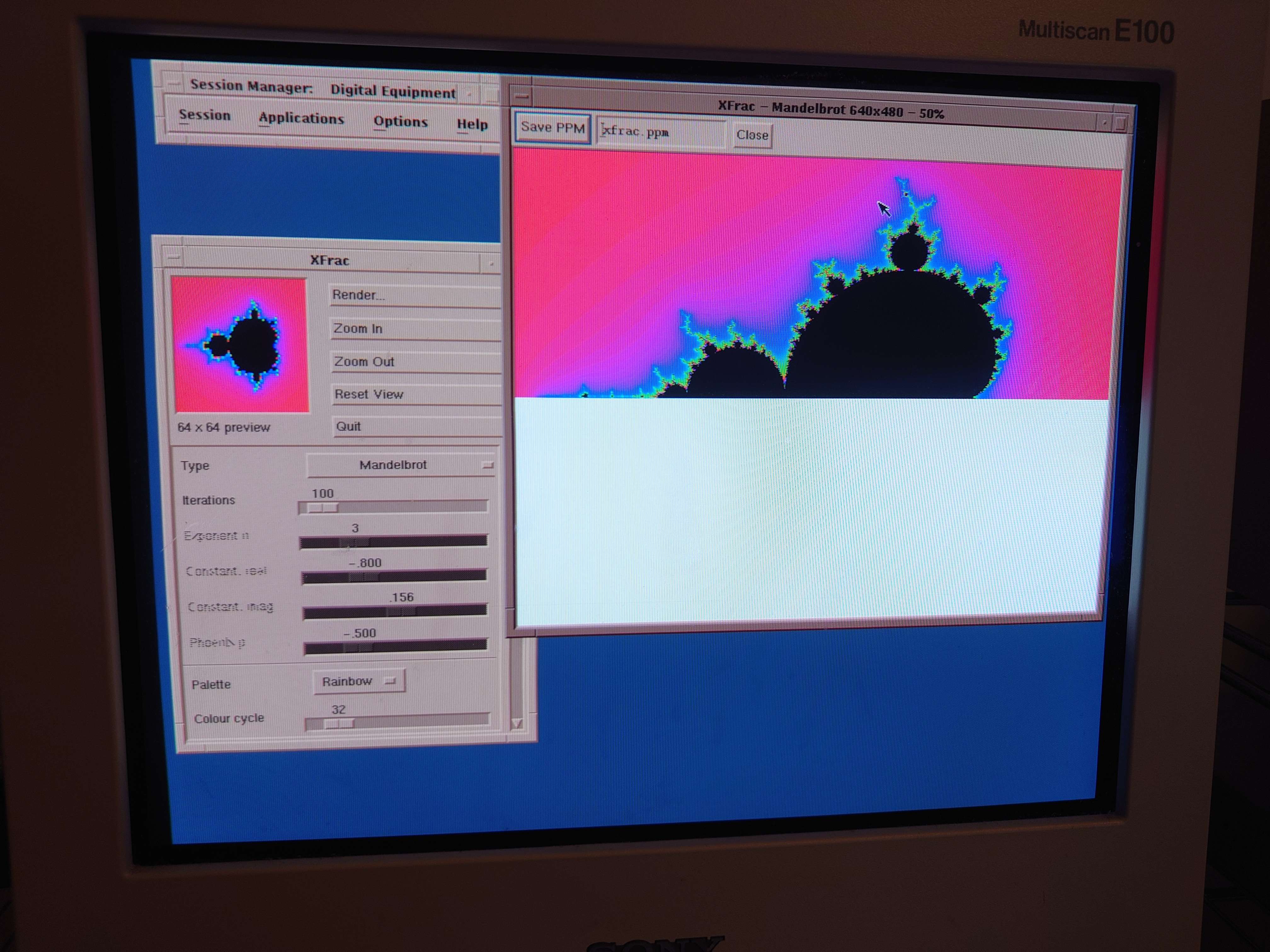
There is also a custom DOS-based installer that can be used to install to hard disk on a real machine, from any storage medium you can get a DOS driver for. In my own testing I installed from CD-ROM, and over mTCP Netdrive. The installer is a normal .COM binary and needs to be stored next to the hard drive image.
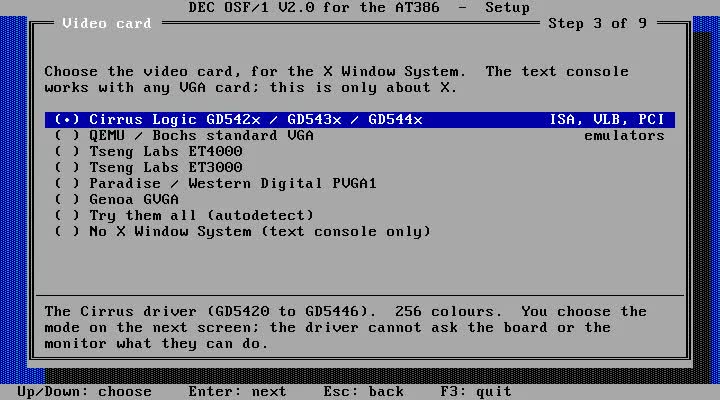
The build kit is available here. I've tested it on Debian Forky with GCC 16, and I am pretty sure it will also work on Ubuntu 24.04 with GCC 14. It should be possible to run on windows this under Ubuntu WSL. Among (many) other things, it fetches and builds GCC 2.95 as a cross compiler, and goes from there. There are dependencies, the script should tell you what they are if you don't have them. If not, check the readme included. Claude wrote it so it's of course very wordy, but it is at least detailed. The wordiness is why we're here now, in Getting Started.
Kit DownloadTo use it, you will need to get the OSF1 sources from the following link:
OSF/1 sourcesYou will want to go to each branch (OSC200, OSCX200) and download them as ZIP.
After this, extract the kit into a folder, and run sh at386-start.sh to build the disk image. My usual command line was:
XZIP=./OSF1-OSCX200.zip PROFILE=easy ISO=1 sh at386-start.sh ./OSF1-OSC200.zip ./workdir
This was with the OSF1-OSC200.zip and OSF1-OSCX200.zip located in the same folder the script is extracted to. It is designed to build the CD installer option. With that, any DOS boot diskette with a CD driver can open the CD drive and run the installer. XZIP is only required if you want an image with X.
There are an array of options for the build script but the most relevant options are the profiles:
base: base system (terminal only), I'd say probably 99% historical, but also the most boring.x: X and historical X programs and demos, maybe 90% historical, though probably never ran on i386easy: X and X programs, plus the quality of life architectural features. Can be overridden to terminal only by other arguments. Check readme for more.If that command line is used, when the script is finished you will have disk1.img and osf1-the following in your workdir under the OSC200 folder:
In principle, the bare minimum requirements would be
I would NOT recommend running this with X on the actual minimum requirements. It should work but it will be seriously slow. It is even a bit slow on the real hardware I have tested on, partly due to resolution and redrawing by CPU, and partly due to disk access, which I think is slow despite the CF card:
I wasn't sure if this project would actually work. I am quite impressed that Claude was able to power through the entire code base. It has been a while since I have last tested any of the AI models for anything nearly as difficult as this, and I was impressed how it did even with the low level parts (bootloader modifications for large disk, i8042 PS/2 mouse interfacing, VGA driver programming and debugging). I was quite shocked when I saw it booting the first time. I am probably done with this project, but it has given me new ideas...
Loading...